Moving on from Skype for Business? Step up to Virola Messenger. Learn more
The following changes were made in the new Agent App 5.4.3 (compared to the previous version 5.2.2):
New features
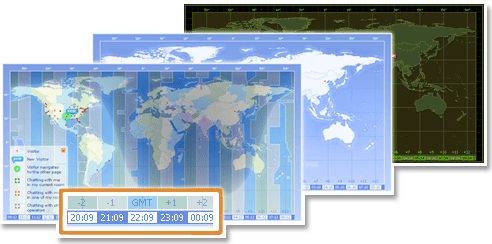
- Geo Location Map improved
- Current time for each time zone added. It is displayed at the bottom of the Geo Location Map
- Day/Night shadow added. It is displayed over the map and can be switched on/off in the console Options / Geo-Location
- Time zone coloring added. It is displayed over the map and can be switched on/off in the console Options / Geo-Location
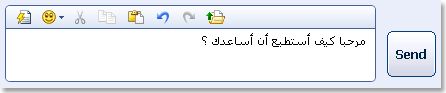
- Right-to-Left layout support for Eastern languages added. The console can be switched to the RTL mode from the console Options / Regional or via the message input area context menu
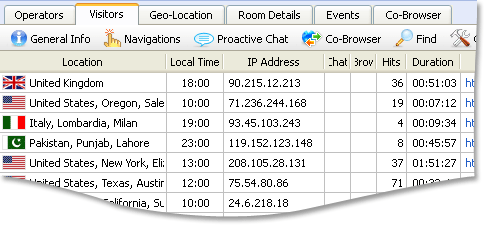
- Visitors list improved - Local Time column added. The list can be sorted by this column. The column can be hidden via the list context menu or switched on/off in the console Options / Visitors
- 'Find' dialog on Visitors tab improved
- Autoscroll to the first found result added
- 'Text not found' message displaying when nothing was found
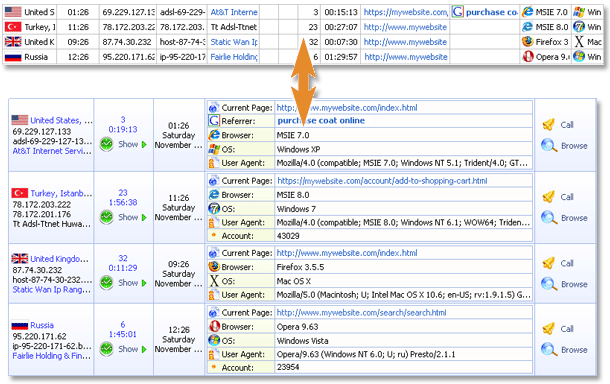
- The legacy Visitors list view (like in the console version 4.3.0) added. The views can be switched in the console Options / Visitors
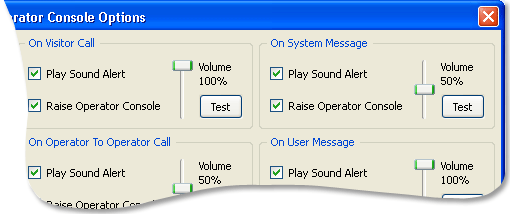
- Sound alerts improved - volume control added for each alert. The volume can be changed in the console Options / Events
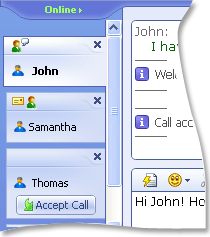
- Room Tab Pane improved
- Scroll bar added, it appears when the number of chat room tabs exceeds the pane height
- 'Party is typing...' icon added to each chat tab. It can be switched on/off in the console Options / Rooms
- Possibility to turn off 'Has New Message' icon displayed on chat tabs added. It can be switched on/off in the console Options / Rooms
- Possibility to display a confirmation on chat tab closing added. It can be switched on/off in the console Options / Rooms
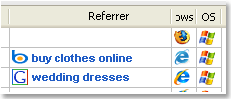
- "Bing" search engine support added
Fixes
- Issue with loading supplementary lexicons for Spell Checker on Mac OS and Linux fixed
- Issue with copying visitor names from room tabs to clipboard fixed
- Thai tonal marks support in chat text added
