Why native desktop app?
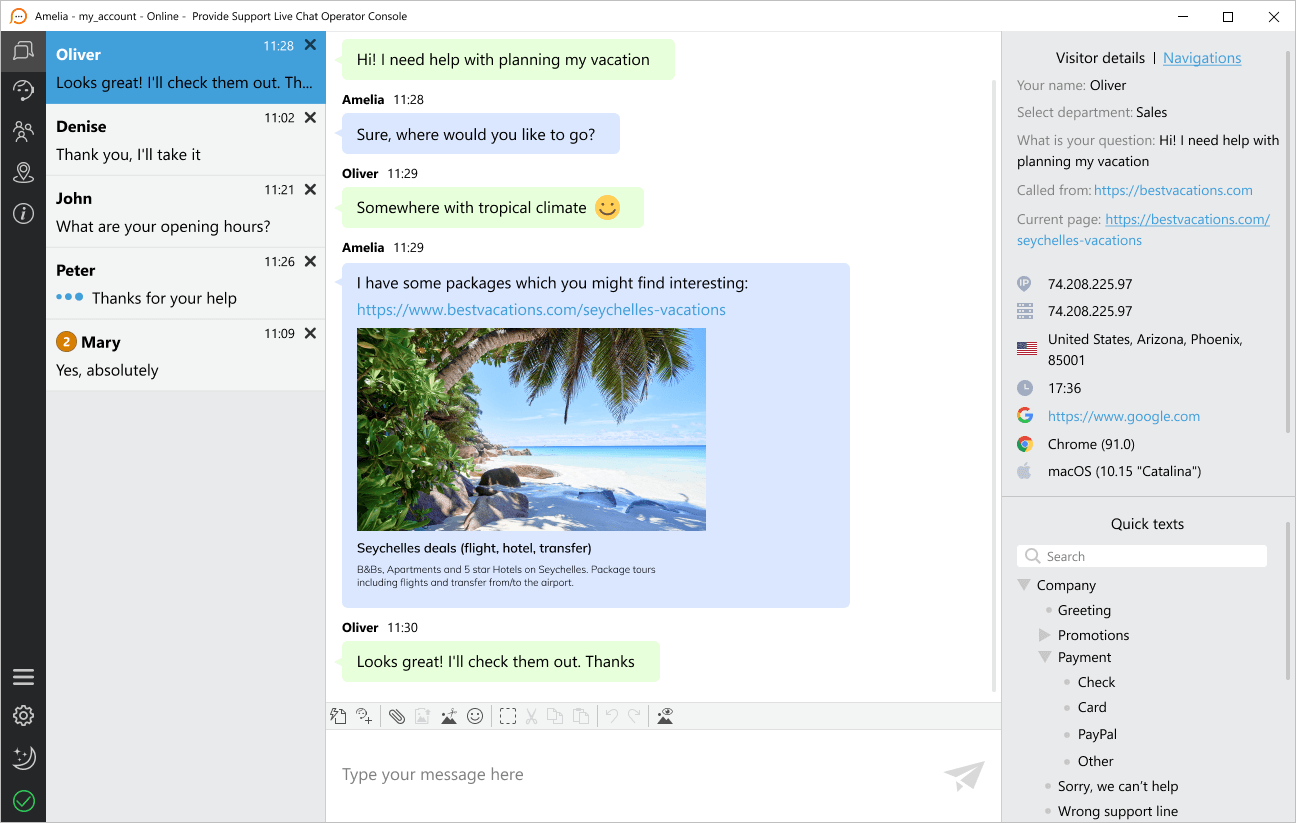
At Provide Support we offer you a very wide selection of apps you can use to chat with your customers. Native desktop chat app, web application, native mobile apps for iOS and Android - all at your fingertips.
What makes us different from many other providers is that we offer a truly native desktop client, which is closely integrated into your operating system and utilizes its resources to improve the user experience of your operators.
The native desktop chat app offers a much richer functionality than the web and the mobile apps. The chat agents can really go far with it.
More reliable and productive than the web client
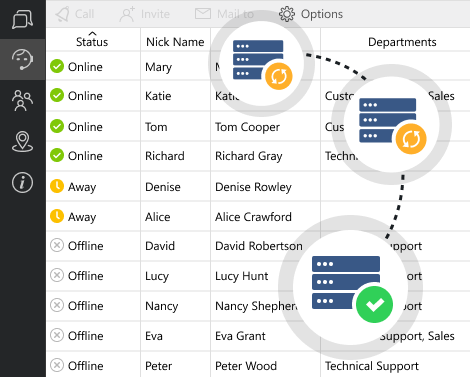
The native desktop chat application offers a much higher stability in connection making sure that your support agents always stay online and available to customers. We have integrated a solution, which allows the chat app to automatically search for the best route to our servers in case connection was lost or interrupted and reconnect to them automatically. The process of reconnection is seamless and not noticeable to customers. In most cases it requires no attention from the support agents either. So you can stay safe and not worry about your chat support line being accidentally disconnected offline.
The native live chat client can also sustain a higher volume of visitors on your website and a big number of concurrent chatters without freezing or eating up your computer resources, as is the case with many complex browser applications.
Convenient organization of visitor information
The desktop chat application offers a more convenient way of handling your chat support line due to all the information being organized into different tabs and easily accessible.
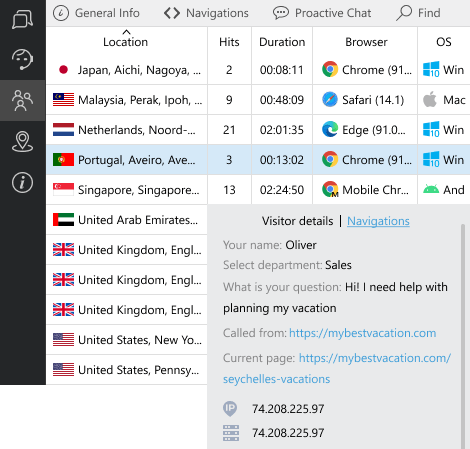
For example, before accepting an incoming chat, the operator can see all the important information about the chatter in the sidebar and get well prepared to answer the customer's question right away.
The Visitors tab offers extensive information about all the current website visitors allowing the agents to proactively offer help to potential customers. The current chatters are highlighted in the visitors list enabling the agents to quickly locate the needed information about customers. This tab offers search and sorting features and can be configured to fit the agent requirements.
Rich set of notifications
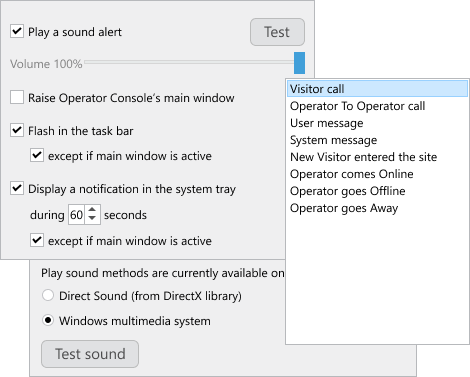
The native chat client is super handy with its wide choice of different types of alerts you can set up for different events.
For example, the agents can configure the app to receive either audio, system tray alerts or make the app window jump out when there is an incoming chat or when the user has sent a message. They even can have all of those alerts together to make sure they don't miss a single chat or message!
The chat agents can also play with notifications to make their work most productive. They can have alerts when their colleagues go online or offline, when a colleague wants to chat with them or transfer a customer's chat to them etc.
Another bonus of using the native chat client is that the notifications will not get blocked, which often happens to the browser alerts that easily get blocked by plugins or due to strict security settings of the browser.
No risk of losing chats and customers
It is not possible to accidentally close the native desktop chat app, cut your session and lose all of your chats unlike with all browser-based apps. As most other messengers, it gets hidden in the system tray alerting you of all new communications.
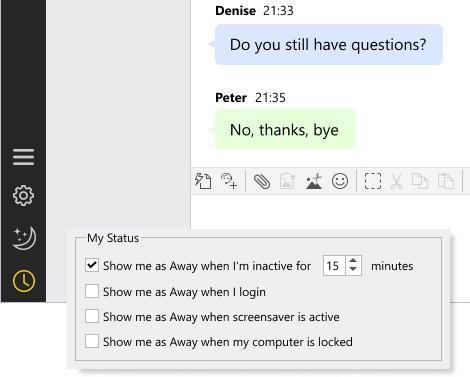
There are flexible options for changing the operator status from online to away, saving you from situations when the operator forgot to change his status manually and his chat line was left unattended. The native chat client can switch to away mode automatically after a certain period of inactivity or at the screensaver activation etc.
Hotkeys
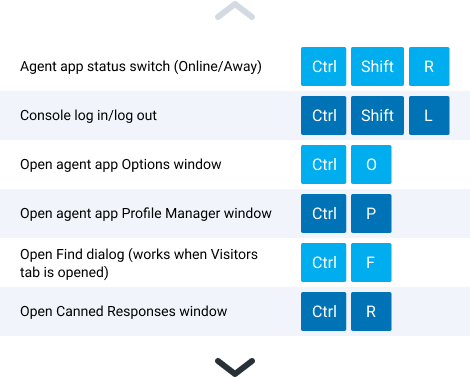
| Ctrl+Shift+S | Console status switch (Online/Away) |
| Ctrl+Shift+L | Console log in/log out |
| Ctrl+T | Toggling between tabs in the left sidebar menu |
| Ctrl+O | Open console Options window |
| Сtrl+P | Open console Profile Manager window |
| Ctrl+F | Open Find dialog (works when Visitors tab is opened) |
| Ctrl+R | Move focus to Canned Responses section in the right sidebar |
| Ctrl+Shift+R | Move focus to Search field above the Canned Responses section in the right sidebar |
| Ctrl+Shift+I | Paste selected canned response to the message input field |
| Ctrl+Shift+M | Send selected canned response to the current chat |
| Ctrl+E | Toggling between chat tabs (works when at least 2 chat rooms are opened) |
| Ctrl+Shift+A | Accept incoming chat (you need to toggle to the chat room first and then accept it) |
| Ctrl+Shift+D | Deny incoming chat (you need to toggle to the chat room first and then deny it). No Available Operators system message will be displayed for the visitor |
| Ctrl+Shift+X | Close current chat room |
| Ctrl+S | Open Send File window (works when at least one chat room is opened) |
Autorun with operating system
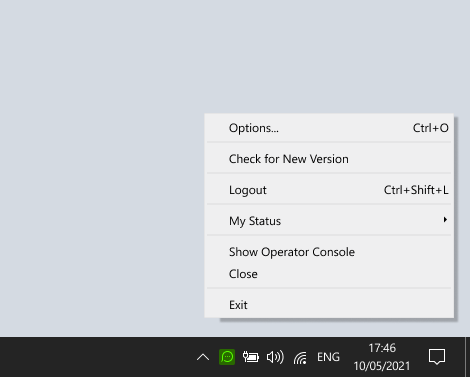
Minimizing to system tray / menu bar
Multiple accounts management
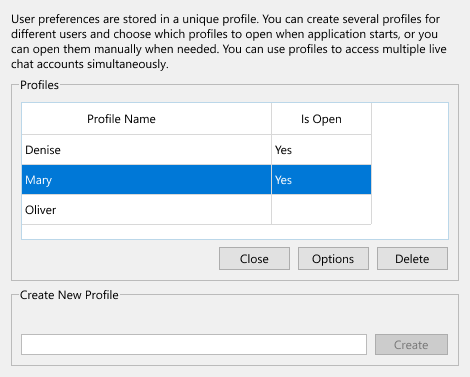
Using one desktop chat application, you can manage several of your chat accounts at the same time! If you are running several websites and have a different chat account / support line for each one of them, you will, no doubt, appreciate the Profile Management feature the native client offers. It allows you to log into several accounts or operator profiles simultaneously and either monitor them or actively chat with customers. Each account / support line will have a separate window and tray icon, so you will not be confused as to which line you are answering at any given time.
Silent installation
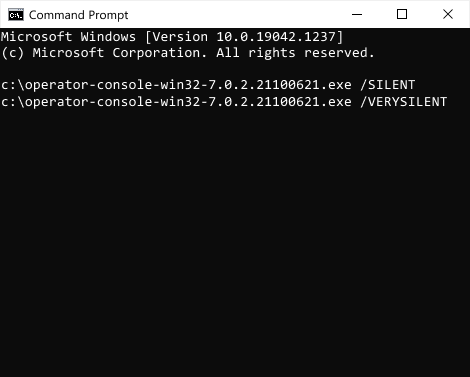
Larger organizations will also appreciate the ability of silent installation. Your systems administrator will be able to install the native chat client on the employees' computers completely remotely without distracting them from their work and with no effort on their part.