|
<< Click to Display Table of Contents >> Integrations > Shopping Cart Integrations > OpenCart > OpenCart Integration |
Provide Support Live Chat and OpenCart Integration
To add the chat button to your OpenCart website, please do the following:
1.Follow Account Settings / Chat Button Codes page and copy either Fully Featured Chat Button Code with Uploadable Online / Offline Images or Pure JavaScript Chat Button Code.
2.Log into your OpenCart admin panel
3.Follow there Design / Theme Editor section
4.Choose your store
5.Proceed to editing common/footer template by clicking "Edit" (pencil) icon
6.You need to insert your chat button code to the appeared Theme editor. The code should be added before closing </body> tag like shown on a screenshot below:
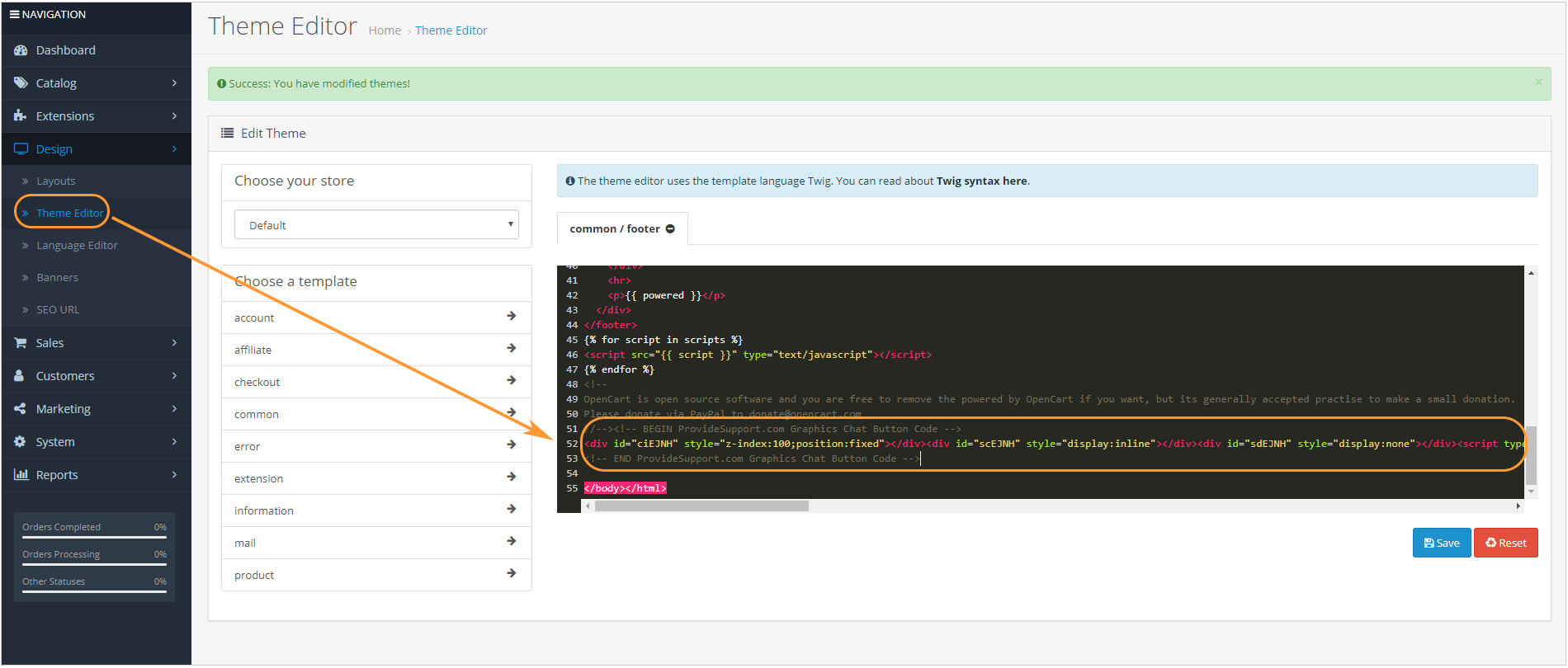
OpenCart Theme editor
7.Save changes